

Complete these 3 quick steps to add DingDing House to your Home Screen
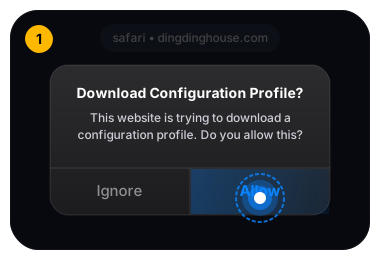
Safari will ask: "This website is trying to download a configuration profile. Do you want to allow this?" Tap "Allow", then tap "Close".
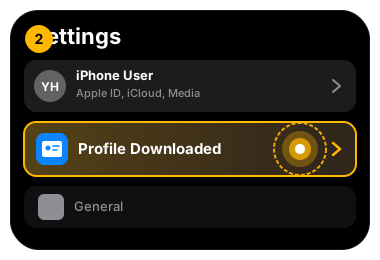
Open your iPhone Settings app. Look right below your Apple ID profile at the top and tap "Profile Downloaded".
(If not visible at top, go to: Settings → General → VPN & Device Management)
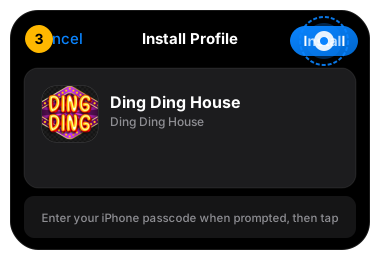
Tap "Install" in the top-right corner. Enter your passcode if prompted, and confirm. The DingDing House icon is now on your Home Screen in full-screen mode!